Welfare Groups & Cooperatives
Apply your rules the same way for every member.
Contributions by Mobile Money, USSD or check-off import; benefit rules, claims with evidence and approvals by different people; pay-outs made by you and recorded; and optional member loans.
The problem
What gets in the way today
Rules applied differently each time
Whether a member qualifies for a benefit depends on who is asked and what they remember.
Claims decided without a record
Approvals happen by phone or in a chat, and nobody can show later who agreed to what.
Contributions from many sources
Check-off deductions, Mobile Money and cash each arrive in a different list.
What Communora360 does
Capabilities
Contributions
By Mobile Money or USSD, recorded by your team, or imported from a check-off or bank list with a second person approving.
Benefit rules
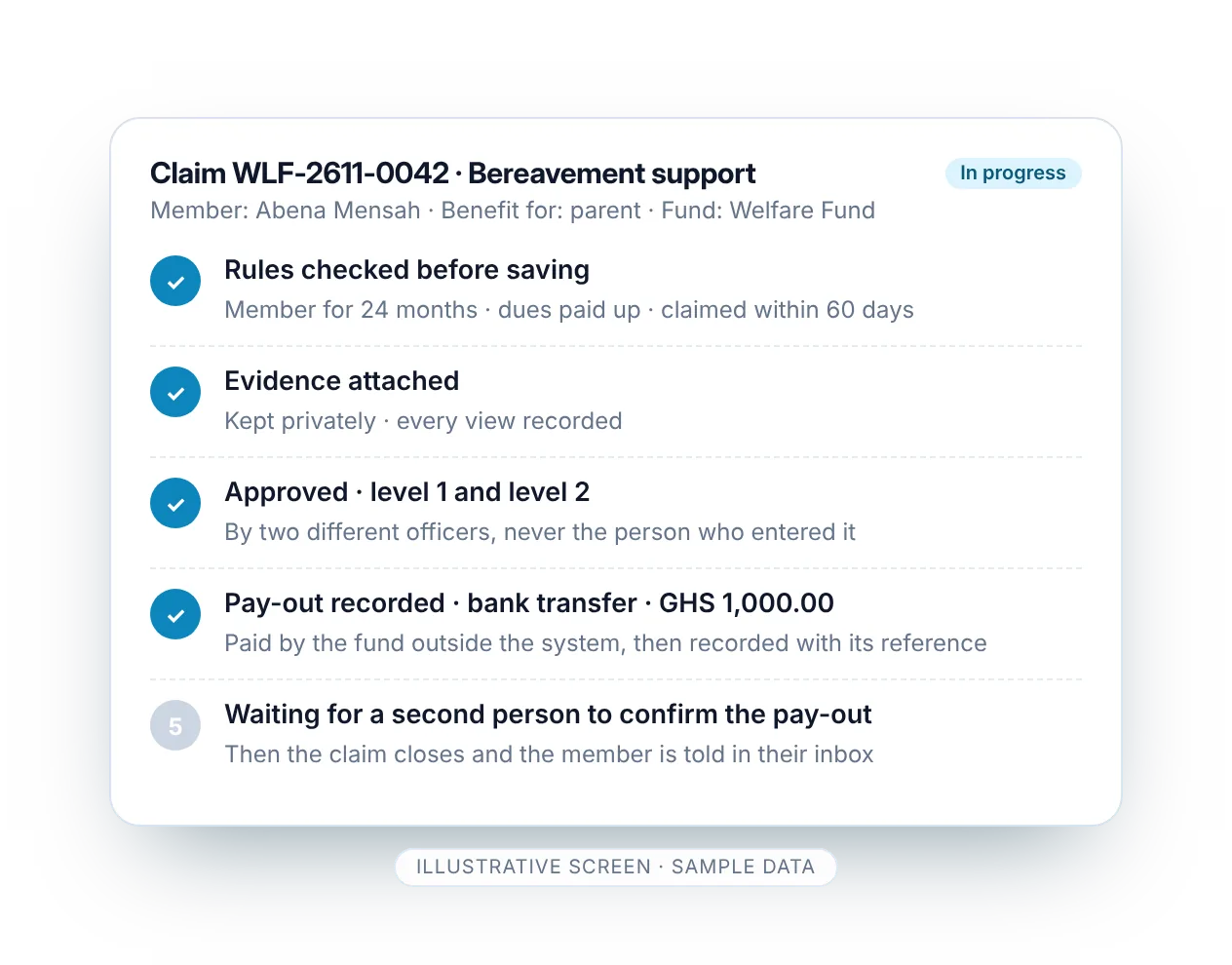
Who qualifies, after how long and for how much, written once and applied the same way to every claim.
Claims with evidence
Members claim in the member portal or your team records the claim, with documents attached.
Approvals by different people
One to three approval levels; nobody decides their own claim or approves what they entered.
Recorded pay-outs
Your organisation makes the pay-out; Communora360 records it, with a second check. The system never sends money.
Fund balances
Contributions, benefits paid and balances by fund, ready for the AGM.
Member loans (optional)
Loan products, applications in the member portal, guarantor consent, approvals, schedules, repayments and a loan book.
Audit trail
Every decision and change kept with who made it and when.
Good to know. Welfare and loans are optional modules, switched on for your organisation. Pay-outs and loan disbursements are made by your organisation and recorded in Communora360; the system never sends money. EBITS does not provide lending capital: your organisation lends its own funds under its own rules. Loans are handled in the web member portal, not in the mobile app.
Benefits
What changes for your organisation
- The same rules for every member
- A record of every approval
- Contributions from every source in one place
- Fund balances you can present
- Members follow their claims in the member portal
Illustrative workflow
How it can work
-
1
Contribute
Members contribute by Mobile Money, USSD or check-off.
-
2
Claim
A member claims a benefit with evidence; the rules check eligibility.
-
3
Approve
Different people approve at each level your rules require.
-
4
Pay out
Your treasurer makes the pay-out and records it; a second person checks it.
An example only: your steps follow your own rules and the modules switched on.
Questions
Welfare and cooperatives: common questions
Can we keep the fund's accounts here?
Yes, with the optional Accounts module: contributions, pay-outs, loan disbursements and repayments go into the books automatically (repayments split into principal, interest and fees), each welfare fund keeps its own balance, and the reports are ready for the AGM.
Does Communora360 pay benefits automatically?
No. Your organisation makes every pay-out, outside the system, and records it in Communora360, where a second person checks it.
Can members apply for loans in the app?
No. Loan applications are made in the web member portal or recorded by your team. Members can see “My loans” and repay through “Make a payment” by USSD.
Does EBITS lend money?
No. EBITS does not provide lending capital or authorise lending. The loans module helps your organisation manage loans from its own funds under its own rules.
Can we import check-off deductions?
Yes. Import payments from a spreadsheet; a second person approves the import before it counts.
Other solutions
See Communora360 set up for welfare and cooperatives
A guided demonstration with sample data for your kind of organisation: members, collections, events and elections. No obligation.